
My morning routine used to be a disaster of scattered attention. Email triage that stretched past an hour. Calendar conflicts I’d discover five minutes before meetings. Notes from yesterday’s calls buried in three different apps. I considered myself organized—I had systems, after all—but the cognitive load of managing those systems was quietly eating my productivity.
That changed when I started deliberately integrating AI assistants into my workflow about two years ago. Not as a gimmick or experiment, but as a genuine attempt to solve problems that traditional productivity tools weren’t addressing. The learning curve was real. The initial setup took effort. But looking back at how I work now versus then, the efficiency gains have been substantial enough that I can’t imagine returning to the old approach.
This isn’t going to be a breathless endorsement of every AI assistant feature. Some capabilities have genuinely transformed my work. Others remain more promise than reality. What I want to share is an honest assessment of where these tools actually deliver on workflow efficiency—and where they still fall short.
The Shift From Task Executors to Thinking Partners
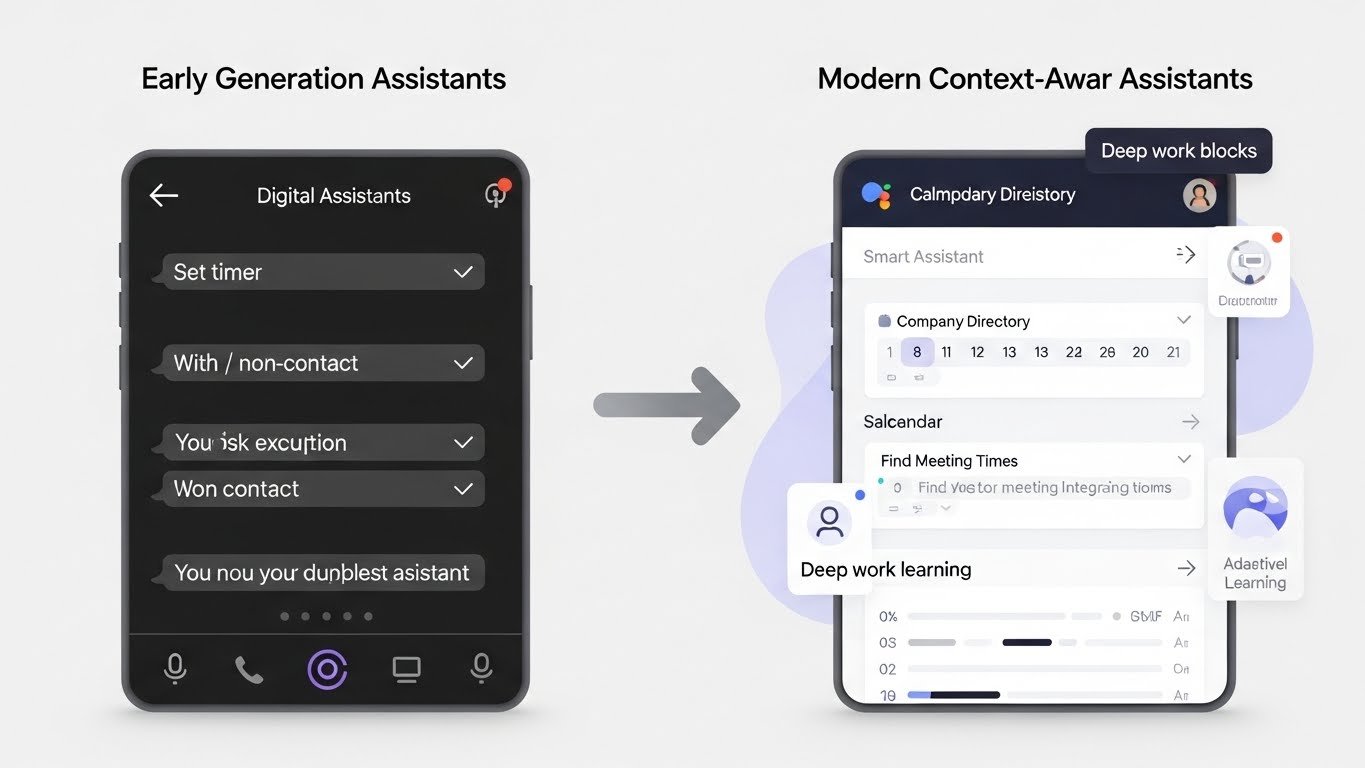
The first generation of digital assistants—think early Siri or basic voice commands—were essentially voice-activated shortcuts. “Set a timer for 20 minutes.” “Call Mom.” Useful, certainly, but limited to executing specific, simple commands.
What’s different about the current generation is their ability to handle ambiguity, context, and complexity. When I tell my assistant to “find a time next week for a call with the marketing team that doesn’t conflict with my deep work blocks,” it actually understands what that means. It knows who’s on the marketing team because it’s integrated with my company directory. It understands “deep work blocks” because I’ve established that pattern in my calendar. It can navigate conflicting availability and suggest options rather than giving up at the first obstacle.
This evolution from command execution to contextual understanding is the foundation of genuine workflow efficiency gains. The assistant isn’t just doing what I explicitly tell it—it’s applying understanding of my preferences, patterns, and context to handle situations I haven’t specifically anticipated.
Where the Efficiency Gains Are Real
Email and Communication Management
Let me be specific about the time savings here because vague claims aren’t useful.
Before integrating AI assistance into email management, I tracked my email time for two weeks. The average was 2.3 hours daily—sorting, reading, prioritizing, drafting responses, following up on threads. Some of that was genuinely necessary communication. A lot of it was administrative overhead.
Now, my assistant handles initial triage, flagging messages that genuinely need my attention and surfacing priority items based on sender importance, content urgency, and my established patterns. It drafts responses for routine inquiries that I can approve with minor edits or send directly. It tracks threads awaiting responses and nudges me about follow-ups before they become overdue.
Current time spent on email: roughly 45 minutes to an hour daily. The quality of my communication hasn’t suffered—if anything, response times have improved and fewer things fall through cracks.
The key insight is that most email processing is pattern-based. The same types of messages require the same types of responses. Once an AI assistant learns your patterns—your tone, your typical responses to common requests, your escalation preferences—it can handle the routine while you focus on communications that genuinely require human judgment.
Meeting Preparation and Follow-Through
This is an area where AI assistants have exceeded my expectations. The problem with meetings isn’t usually the meetings themselves—it’s the preparation that doesn’t happen and the follow-through that gets lost.
Before an important client call, my assistant now automatically pulls together relevant context: recent email exchanges, notes from previous meetings, any pending action items, recent activity from their company that might be relevant to discuss. This used to require 15-20 minutes of manual gathering across multiple systems. Now it’s waiting in a briefing doc when I need it.
After meetings, automatic transcription and summarization capture what was discussed, decisions made, and action items identified. The assistant can extract those action items and add them to my task management system, assign them to relevant team members, or schedule follow-up reminders.
I worked with a sales team last year that implemented this type of meeting assistance across their organization. Their data showed that action item completion rates improved by roughly 40%—not because people were working harder, but because nothing was getting lost in the transition from “discussed in meeting” to “actually tracked and followed up.”
Calendar and Schedule Optimization
Intelligent scheduling has become something I now take for granted, which is probably the best indicator of how well it works.
The assistant understands my preferences: I do my best analytical work in the morning, so it protects those hours from meetings when possible. I need buffer time between back-to-back calls or I’m frazzled. I prefer not to schedule important conversations on Mondays or Fridays. Travel time between locations needs to be accounted for.
When scheduling requests come in—and they come in constantly—the assistant can handle the back-and-forth of finding mutually available times without my involvement. It can reschedule conflicts, suggest alternatives when preferred times aren’t available, and maintain my scheduling preferences even when I forget to enforce them myself.
A colleague who runs a consulting practice told me that implementing AI scheduling assistance saved her about five hours weekly that had previously gone to the coordination dance of finding meeting times. That’s not a small efficiency gain—it’s essentially a half-day every week reclaimed for billable work.
Information Retrieval and Knowledge Management
Here’s a problem that compounds over time: the more information you accumulate—notes, documents, emails, saved articles, research—the harder it becomes to find what you need when you need it.
Traditional search requires you to remember where you stored something and what you called it. AI assistants can search semantically, finding relevant information based on concepts rather than exact keywords. “Find that document about the Q3 pricing strategy we discussed last month” works even if the document is titled something unhelpful like “Draft_v3_final_FINAL.docx.”
More usefully, assistants can synthesize information across sources. When I’m preparing for a strategic discussion, I can ask for a summary of all communications, documents, and notes related to a particular initiative. The assistant pulls together a coherent overview from fragmented pieces, saving me from manually reviewing dozens of individual items.
Task Management and Prioritization
I was initially skeptical about AI involvement in task management. It seemed like an area where human judgment was essential—surely I know better than an algorithm what I should be working on?
What I’ve learned is that the value isn’t in the assistant making decisions for me. It’s in surfacing information that helps me make better decisions myself.
When I review my task list now, the assistant has annotated it with relevant context: which items are blocked by pending inputs from others, which are associated with deadlines that are approaching, which align with goals I’ve marked as priorities. It can identify patterns I miss—like realizing that I’ve been postponing a particular type of task for weeks, suggesting either prioritization or delegation.
The assistant also handles the friction of task capture. When I mention something I need to do in an email or during a meeting, it can automatically add it to my task system. This sounds minor, but the transaction cost of stopping to manually create tasks meant that many small items never got recorded—and then fell through cracks.
Industry-Specific Applications
Knowledge Workers and Professionals
For consultants, analysts, lawyers, and similar professionals, the research and synthesis capabilities of AI assistants offer significant leverage. Background research that previously required hours of manual gathering and compilation can happen in minutes.
A legal colleague uses her assistant extensively for contract review preparation—pulling together relevant precedents, flagging potential issues based on past matters, and organizing clause comparisons. She estimates it’s reduced preparation time for routine contract work by roughly 60%.
Sales and Client-Facing Roles
The combination of meeting assistance, relationship context gathering, and communication management is particularly valuable for sales teams.
AI assistants can monitor existing accounts for relevant news or changes—executive transitions, funding announcements, product launches—that represent follow-up opportunities. They can prepare personalized talking points before calls based on relationship history. They can ensure that promised follow-ups actually happen.
One sales organization I worked with saw their revenue per rep increase by about 15% after implementing comprehensive AI assistance—attributed not to closing better but to closing more by ensuring that promising opportunities didn’t die from lack of follow-through.
Executives and Managers
For people whose days are consumed by meetings, communications, and context-switching, AI assistants address the cognitive overhead challenge directly.
Executive assistants—human ones—have always provided this type of support for senior leaders. AI extends similar capabilities further into organizations, giving middle managers and team leads access to support that was previously available only to the C-suite.
Briefing preparation, communication prioritization, schedule optimization, and action item tracking become manageable even with packed calendars and overwhelming information flow.
Creative and Technical Roles
Developers, designers, and other creative professionals might seem less suited for AI assistant benefits, but workflow efficiency gains still apply.
For developers, AI assistants can manage the project management overhead—updating tickets, logging time, tracking blockers, communicating status—that distracts from actual coding. For designers, they can handle client communication, asset organization, and project coordination that isn’t design work but consumes design time.
The pattern is consistent: AI assistants are most valuable for the operational overhead that surrounds core work, not for replacing the core work itself.
The Reality of Implementation Challenges
Let me be honest about the difficulties, because the marketing materials don’t cover these adequately.
The Setup Investment
Effective AI assistance requires initial configuration effort. The assistant needs to learn your preferences, integrate with your existing systems, and understand your context. This doesn’t happen automatically.
I spent probably 10-15 hours over my first month actively training my assistant—correcting its suggestions, establishing preferences, teaching it my patterns. That front-loaded investment was essential for the efficiency gains that followed.
Organizations implementing these tools across teams need to plan for this setup period. Productivity might actually dip initially before it improves, as people learn new workflows and systems learn new users.
Integration Limitations
AI assistants are only as useful as the information they can access. If your email is in one system, your calendar in another, your documents in a third, and your task management in a fourth—with none of them properly integrated—the assistant can’t provide unified support.
The organizations seeing the best results tend to have already consolidated on platform ecosystems that enable integration. Companies fragmented across incompatible tools face more friction in implementation.
Trust and Verification
AI assistants make mistakes. They misunderstand context, make incorrect assumptions, and occasionally do things you didn’t intend. This reality requires ongoing verification rather than blind trust.
I still review scheduled meetings before they’re confirmed. I still read drafted emails before they’re sent. I still check that summarized action items actually match what was discussed. The assistant handles the first pass, but I remain responsible for the output.
This verification overhead is real. It reduces the net efficiency gain. But it’s essential, and treating AI assistants as infallible leads to errors that damage relationships and credibility.
Privacy and Security Considerations
AI assistants require access to sensitive information to be useful. Your email, your calendar, your documents, your communications—these are all inputs to the assistance they provide.
This creates legitimate concerns about data handling, storage, and access. Organizations in regulated industries face additional compliance considerations. Individual users should understand what data they’re sharing and with whom.
I’ve become more selective about which AI assistants I use and what information I grant them access to. The convenience isn’t worth it if the data handling isn’t trustworthy.
Best Practices for Maximizing Efficiency Gains
Start With High-Volume Repetitive Tasks
The best initial use cases are tasks you do frequently that follow predictable patterns. Email responses you send regularly. Meeting types you schedule often. Documents you create repeatedly. These offer the highest return on the investment of teaching the assistant your preferences.
Starting with complex, variable tasks where you don’t have consistent patterns leads to frustration. The assistant can’t learn patterns that don’t exist.
Be Specific About Preferences
AI assistants can’t read your mind. They need explicit instruction about preferences that seem obvious to you but aren’t inferable from behavior.
I maintain what I call a “working style” document that I’ve shared with my assistant: my communication preferences, my scheduling priorities, my conventions for task organization. This explicit guidance accelerates learning and reduces mismatches.
Review and Correct Consistently
When the assistant gets something wrong, take the 30 seconds to correct it explicitly rather than just fixing it yourself. Each correction is training data that improves future performance.
Neglecting this feedback loop means the assistant never improves beyond its initial capabilities. Investing in corrections pays compound returns over time.
Combine With Existing Systems Thoughtfully
AI assistants work best when integrated with existing workflow systems rather than replacing them entirely. Your task management app still manages tasks—the assistant just makes it easier to capture, prioritize, and track them. Your calendar still holds your schedule—the assistant just makes it easier to optimize and coordinate.
Trying to move all work through the assistant itself typically creates more friction than it resolves. The assistant should enhance existing systems, not substitute for them.
Set Boundaries on Autonomous Action
Decide explicitly what the assistant can do without approval versus what requires your review. My own boundaries: scheduling internal meetings with colleagues, automatically. Scheduling external meetings with clients, with approval. Sending routine acknowledgment emails, automatically. Sending substantive responses, with review.
These boundaries protect against errors while still capturing efficiency gains where the risk is low.
What’s Coming Next
The capabilities of AI assistants are expanding rapidly, and some emerging features will likely transform workflow efficiency further.
Multi-step task execution—where the assistant handles entire workflows rather than individual actions—is becoming more capable. Instead of “schedule a meeting,” you’ll be able to say “coordinate the quarterly business review” and have the assistant handle scheduling, agenda preparation, participant communication, and post-meeting follow-through as a unified workflow.
Proactive assistance—where the assistant surfaces relevant information or suggestions without being asked—is improving. Rather than waiting for you to request preparation for tomorrow’s meeting, the assistant will automatically prepare briefing materials and highlight items that need your attention before the meeting occurs.
Cross-platform intelligence—where the assistant understands context across all your tools and systems—is reducing integration friction. The separation between your email assistant and your calendar assistant and your document assistant is blurring toward unified assistance across your entire digital workspace.
The Honest Assessment
So where does this leave us on the question of workflow efficiency?
Based on my experience and observation, AI personal assistants deliver genuine, measurable efficiency gains for most knowledge workers. The specific magnitude varies by role, existing workflow effectiveness, and implementation quality. But the pattern is consistent: reduction in time spent on administrative overhead, improvement in follow-through and follow-up, better preparation for important interactions, more effective information retrieval.
The gains are not transformative in the sense of completely reinventing how work happens. You still do your job. You still think, create, decide, communicate, collaborate. The assistant handles operational friction that surrounded that core work—friction that was real and substantial, even if you’d become so accustomed to it that you no longer noticed.
Is it worth the setup investment, the learning curve, the ongoing verification overhead? For most people, yes. The break-even point—where efficiency gains exceed implementation costs—typically arrives within a few weeks of consistent use.
The workers I see struggling most with AI assistants are those expecting magic rather than augmentation. They want to offload work entirely rather than collaborate with an assistant that still requires supervision. That expectation mismatch leads to disappointment.
The workers I see thriving treat AI assistants as what they actually are: powerful tools that amplify human capability without replacing human judgment. With that framing, the efficiency gains are real, sustainable, and accumulating as the technology improves.
My scattered, cognitively-overloaded mornings? They’ve become focused and intentional. The hour-plus of email triage has compressed to quick reviews of already-prioritized messages. Calendar conflicts get caught before they become crises. Notes find themselves without requiring archaeological excavation.
These aren’t revolutionary changes. They’re operational improvements that compound over time into meaningfully different work experiences. That’s what AI personal assistants actually deliver—not transformation of what you do, but reduction of friction in how you do it. And that turns out to be worth quite a lot.