
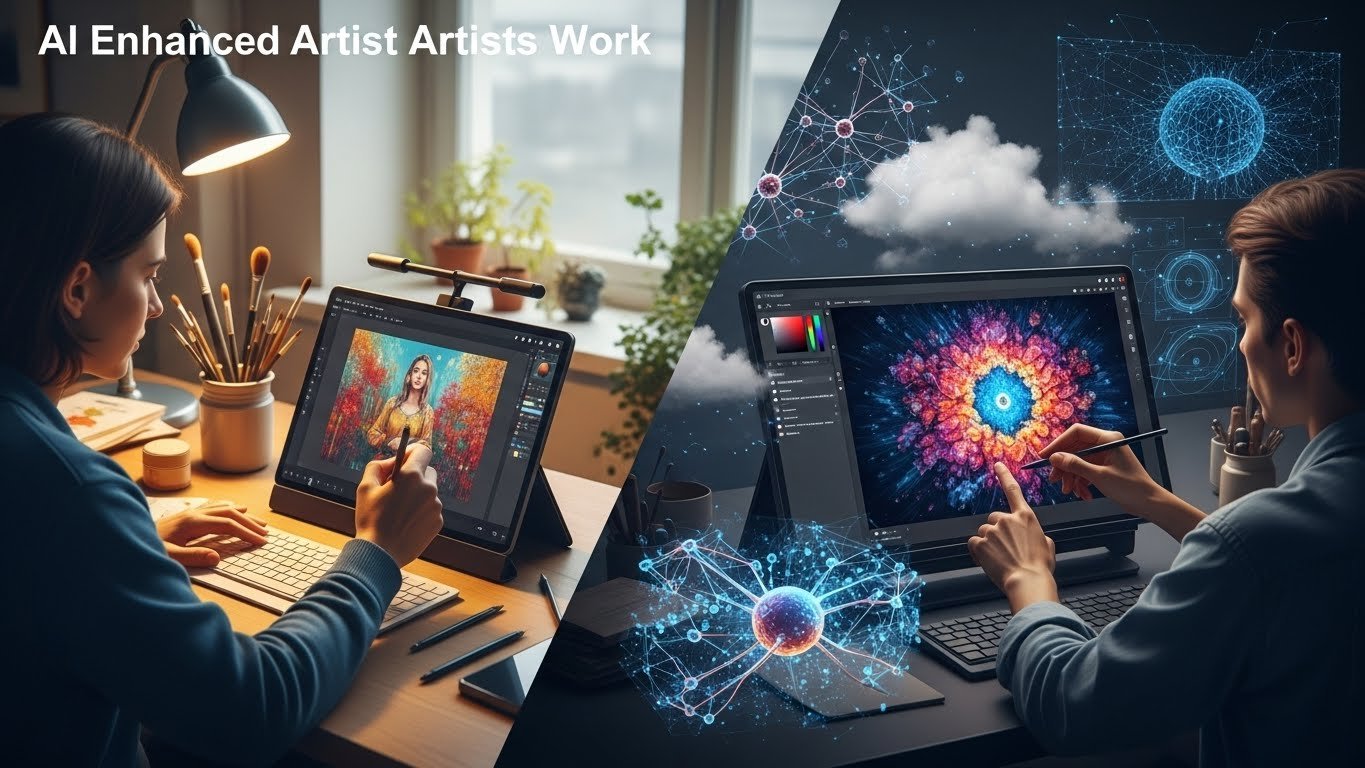
I still remember the first time I generated an image using AI art software. It was late 2022, and I was skeptical. After spending fifteen years learning traditional digital art techniques—mastering Photoshop brushes, understanding color theory, developing my own style—I honestly thought these tools were a gimmick. Three hours later, I was staring at my screen with my jaw on the floor.
That skepticism has since evolved into genuine enthusiasm, tempered with a healthy dose of critical analysis. I’ve now spent countless hours testing every major AI art platform available, pushing their limits, finding their quirks, and figuring out which ones actually deliver on their promises. This guide is the result of that exploration.
Whether you’re a professional illustrator looking to speed up your workflow, a marketer needing quick visual content, or someone who simply wants to bring their imagination to life without years of training, there’s an AI art tool that fits your needs. The challenge is figuring out which one.
Why AI Art Software Has Changed the Creative Landscape
Before diving into specific platforms, let’s acknowledge something important: AI art tools aren’t replacing traditional digital artists. At least, not the good ones. What they’re doing is democratizing visual creation while giving experienced artists powerful new instruments in their creative toolkit.
The technology behind these platforms—primarily diffusion models and transformer architectures—has matured rapidly. What was producing blurry, nightmarish images just two years ago now generates photorealistic renders, stunning illustrations, and genuinely creative compositions that can hold their own in professional contexts.
But here’s what the marketing materials don’t tell you: these tools have significant learning curves, distinct personalities, and specific strengths. Choosing the wrong platform for your needs can mean wasted subscription fees and frustration. Choosing the right one can genuinely transform how you work.
Midjourney: The Artist’s Favorite
I’ve introduced Midjourney to probably a dozen professional artists at this point, and the reaction is almost always the same: initial resistance followed by enthusiastic adoption. There’s a reason for that pattern.
What Makes It Special
Midjourney has developed what I can only describe as an aesthetic sensibility. The images it produces don’t just look technically competent—they look beautiful. There’s a painterly quality to its outputs, a understanding of lighting and composition that feels almost intuitive. When you ask for a “dramatic sunset over a cyberpunk city,” Midjourney doesn’t just render those elements. It considers how they should interact, how the light would scatter through smog, how reflections would play across wet streets.
The latest version (V6 as of this writing) has made significant strides in following complex prompts accurately. Earlier versions had a tendency to interpret requests loosely—sometimes brilliantly, sometimes frustratingly. The current iteration strikes a better balance between creative interpretation and prompt fidelity.
The Discord Situation
Here’s the honest truth: Midjourney’s Discord-based interface is both its biggest strength and its most significant barrier. If you’re not already familiar with Discord, you’ll need to spend time learning a new platform just to access the AI. The learning curve isn’t steep, but it exists.
That said, the community aspect has real value. Watching other users’ prompts and results in real-time teaches you more about effective prompting than any tutorial. I’ve picked up countless techniques just by scrolling through public channels.
Pricing and Value
At $10/month for the basic plan (around 200 image generations), Midjourney offers reasonable value if you’re using it consistently. The $30/month Standard plan is what most serious users end up with—the unlimited relaxed generations mean you can experiment freely without watching a counter tick down.
Best For
Midjourney excels at concept art, fantasy and sci-fi illustrations, atmospheric scenes, and anything where artistic quality matters more than photorealistic accuracy. It’s become my go-to for initial concept exploration and mood boards.
DALL-E 3: The Prompt Whisperer
OpenAI’s DALL-E 3, particularly when accessed through ChatGPT Plus, represents a fundamentally different philosophy than Midjourney. Where Midjourney interprets and embellishes, DALL-E 3 listens and executes.
Precision and Understanding
The integration with ChatGPT means you can have a conversation about what you want. This sounds trivial until you’ve experienced it. You describe your vision in plain language—rambling, unclear, contradictory—and the system parses that into coherent visual direction. It asks clarifying questions. It suggests improvements. The result is often closer to what you actually imagined than what you initially wrote.
I tested this recently with a complex request: “I want an image of a grandmother teaching her granddaughter to bake, but make it look like a Renaissance painting, with dramatic lighting like Caravaggio, but keep the kitchen looking modern.” That’s a mess of a prompt. DALL-E 3 nailed it on the second attempt, after asking whether I wanted the lighting naturalistic or theatrical.
Text Rendering That Actually Works
Here’s something genuinely useful: DALL-E 3 handles text in images far better than most competitors. Need a book cover mockup with a legible title? A sign for a fictional store? A motivational poster? This is your tool. Other platforms still struggle with text, producing gibberish that almost looks like letters but isn’t quite there. DALL-E 3 gets it right most of the time.
Limitations Worth Knowing
The platform has strict content policies—stricter than most alternatives. This is rarely an issue for commercial work, but if you’re exploring edgier artistic concepts, you’ll hit walls. There’s also a noticeable stylistic consistency to DALL-E 3 outputs that some find limiting. The images are clean, professional, and sometimes… a bit sterile. They lack the raw artistic energy you might get from Midjourney.
Pricing Structure
Access through ChatGPT Plus costs $20/month and includes other ChatGPT features. The standalone API has usage-based pricing. For casual users who also want ChatGPT access, this bundled approach offers good value.
Best For
Marketing materials, product mockups, anything requiring text, educational content, quick ideation, and situations where prompt precision matters more than artistic flourish.
Stable Diffusion: The Tinkerer’s Paradise
Stable Diffusion occupies a unique position in this landscape. It’s open-source, endlessly customizable, and completely free if you’re willing to run it locally. It’s also the most technically demanding option on this list.
The Local Advantage
Running Stable Diffusion on your own hardware means complete privacy, no subscription fees, and unlimited generations. Your prompts never leave your computer. For many professional applications—particularly those involving sensitive concepts or client confidentiality—this matters.
But there’s a catch: you need serious hardware. A modern GPU with at least 8GB of VRAM is the minimum. Ideally, you want 12GB or more. Newer NVIDIA cards work best due to CUDA optimization, though AMD options are improving.
Customization Without Limits
The ecosystem around Stable Diffusion is staggering. Custom models trained on specific styles (anime, photorealism, architectural visualization), LoRA adaptations that can capture the essence of particular artists or concepts, ControlNet for precise compositional control—the tools are there if you’re willing to learn them.
I spent a weekend training a custom model on my own artwork. The result was a tool that generates images in my style, which I now use for rapid concept iteration. Try doing that with a closed platform.
The Complexity Trade-off
Let’s be honest: Stable Diffusion has a steep learning curve. Even with user-friendly interfaces like Automatic1111 or ComfyUI, you’ll spend hours understanding parameters, experimenting with settings, and troubleshooting issues. This isn’t a tool you pick up in an afternoon.
For those willing to invest the time, the payoff is substantial. For those who just want quick results with minimal friction, look elsewhere.
Cost Considerations
The software itself is free. Cloud services like RunPod or Vast.ai let you rent GPU time for perhaps $0.20-0.50 per hour, making serious experimentation affordable without dedicated hardware. Managed platforms like Dream Studio offer simpler access with per-image pricing.
Best For
Technical users, anyone needing complete control, privacy-conscious applications, those wanting to train custom models, and creators who enjoy the process of optimization as much as the final output.
Adobe Firefly: The Professional Integration
Adobe’s entry into AI art feels different from standalone tools. It’s not trying to be the most powerful generator—it’s trying to be the most useful for working creatives.
Native Creative Cloud Integration
When Firefly generates an image, you can immediately bring it into Photoshop, Illustrator, or other Adobe apps for refinement. The generative fill and expand features in Photoshop—powered by Firefly—have genuinely changed my workflow. Need to extend a photograph for a different aspect ratio? Done in seconds. Want to remove an object and have the background seamlessly reconstructed? Trivial.
This integration makes Firefly feel less like a separate tool and more like a capability embedded in software you already use.
Commercial Safety
Adobe has taken extraordinary steps to ensure Firefly outputs are commercially safe. The training data was carefully curated to avoid copyright issues, and Adobe offers indemnification for enterprise customers. If legal concerns keep you up at night, this matters.
Current Limitations
Raw image quality still lags behind Midjourney in most artistic categories. Firefly produces clean, usable outputs, but they rarely have that “wow” factor. The system also feels more conservative in its interpretations—it won’t surprise you with creative flourishes.
Pricing Reality
Firefly is bundled with Creative Cloud subscriptions, making it effectively “free” for existing Adobe users. Standalone access is available through web applications with credit-based usage.
Best For
Professional designers already in the Adobe ecosystem, commercial projects requiring legal safety, photo editing and manipulation, and workflow integration rather than standalone generation.
Leonardo AI: The Balanced Choice
Leonardo has quietly become one of the most capable all-around platforms, offering a combination of features that competitors don’t match.
Versatility in Practice
The platform supports multiple models, including its own trained options and community-created alternatives. You can switch between photorealistic renders, stylized illustrations, and game-ready assets within the same interface. The built-in image editing tools—inpainting, outpainting, image-to-image transformation—mean you can refine outputs without switching applications.
Real-Time Generation
Leonardo’s canvas feature includes real-time generation that responds as you sketch. Draw a rough circle with a few lines suggesting a face, and watch the AI interpret and render it instantly. This feels different from prompt-based generation—more collaborative, more immediate.
Training Your Own Models
Similar to Stable Diffusion but far more accessible, Leonardo allows training custom models through a web interface. Upload a set of images, wait for processing, and you have a personalized generation tool. The results vary in quality, but the accessibility is remarkable.
Pricing and Access
The free tier is surprisingly generous—150 tokens daily, which translates to meaningful experimentation. Paid plans start around $12/month with substantially increased limits.
Best For
Game developers needing assets, users wanting multiple models in one platform, those interested in custom training without technical overhead, and creators who value iteration and refinement features.
Runway ML: Beyond Static Images
Runway deserves mention even in an AI art context because its image generation capabilities are tightly integrated with video and motion tools. If you’re thinking about animation or video content, this platform offers a coherent ecosystem.
Gen-2 and Video Generation
The headline feature is text-to-video and image-to-video generation. Create a still image, then animate it. The results aren’t perfect—motion often feels slightly uncanny—but they’re remarkably usable for social media content, motion graphics backgrounds, and creative experimentation.
Image Capabilities
Runway’s image generation has improved significantly, though it still doesn’t match Midjourney for pure aesthetics. Where it shines is in the pipeline: generate an image, apply style transfer, create variations, then animate—all in one workflow.
The Investment Question
Runway is expensive compared to static image generators. Plans start around $15/month and scale up quickly with usage. The value proposition only makes sense if you’re actually using the video features.
Best For
Motion designers, social media content creators, anyone working with video, and creators interested in emerging generative video technology.
Canva’s AI Features: Accessibility First
Canva has integrated AI image generation into its broader design platform, creating perhaps the most accessible entry point for casual users.
The Low-Friction Approach
There’s no learning curve here. Type a description, select a style, generate images, and drag them directly into your Canva design. For someone creating social media graphics, simple marketing materials, or quick presentations, this integration eliminates friction entirely.
Quality Considerations
The generated images are… fine. They’re adequate for many purposes but won’t impress anyone evaluating pure image quality. Canva has prioritized usability over cutting-edge generation.
Practical Value
If you’re already paying for Canva Pro ($13/month or so), the AI features are included. For quick design work, particularly for small businesses or individuals without design expertise, this represents genuine value.
Best For
Non-designers needing quick graphics, small business owners, social media managers, and anyone prioritizing convenience over maximum quality.
Choosing the Right Tool: A Practical Framework
After testing all these platforms extensively, I’ve developed a simple framework for recommendations:
If artistic quality matters most: Midjourney. Nothing else matches its aesthetic sensibility.
If you need precise prompt following and text rendering: DALL-E 3 through ChatGPT Plus.
If you want complete control and customization: Stable Diffusion, with the understanding that you’ll invest significant time learning.
If you’re a professional designer in Adobe’s ecosystem: Firefly for integration, supplemented by Midjourney for hero images.
If you need video capabilities: Runway ML, with the caveat that it’s expensive for image-only use.
If you want maximum accessibility with minimal learning: Canva’s AI features.
If you need good all-around capabilities with training options: Leonardo AI.
Ethical Considerations Worth Taking Seriously
I can’t write about AI art without addressing the ethical dimensions. These tools were trained on vast datasets of human-created art, often without explicit permission from the original creators. This has legitimate implications for working artists.
My personal view: these tools are most ethically used when they augment rather than replace human creativity. Using Midjourney to explore concepts that you then develop further through traditional means feels different from using it to mass-produce content that displaces human-created work.
The copyright status of AI-generated images remains legally unsettled. For important commercial projects, understand the terms of service and consider consulting legal advice.
Where This Technology Is Heading
Having followed this space closely for two years, a few trends seem clear:
Video generation will mature rapidly. What Runway and others are doing with motion will become commonplace.
Customization will become more accessible. Training personal models will require less technical knowledge.
Integration will deepen. Expect AI generation capabilities embedded in every creative tool you use.
Quality differentiation will decrease. The gap between platforms will narrow as underlying technology improves across the board.
Final Thoughts
The best AI art software is ultimately the one that fits your workflow, budget, and creative goals. I use multiple platforms depending on the project. Midjourney for concept exploration and atmospheric scenes. DALL-E 3 for precise requirements and text-heavy needs. Stable Diffusion for projects requiring privacy or custom training. Firefly for quick edits and Photoshop integration.
The key is treating these as tools rather than replacements for creative vision. They execute—brilliantly at times—but the imagination behind the prompt, the refinement of outputs, the integration into final work: that remains human.
Start with free tiers or trials. Experiment. Find what resonates with your creative process. And remember that the landscape continues evolving rapidly. What’s true today may need revision in six months.
The democratization of visual creation is genuinely exciting. These tools have opened possibilities that simply didn’t exist for most people a few years ago. Use them thoughtfully, understand their limitations, and they can become powerful additions to your creative practice.