
The moment I knew something had to change was staring at 847 unread emails on a Monday morning. I’d taken three days off—just three days—and my inbox had become a archaeological dig site where important messages were buried beneath layers of newsletters, automated notifications, meeting requests, and CCs on threads that had nothing to do with me.
That was four years ago. Since then, I’ve become something of an obsessive about email and calendar management systems, testing virtually every tool that promises to bring order to digital chaos. Some were disappointments. A few were genuinely transformative. Most fell somewhere in between—useful for specific purposes but not the comprehensive solutions their marketing suggested.
What I’ve learned through this extended experiment is that intelligent automation has genuinely changed what’s possible in managing our digital communication and time. Not in the magical, fix-everything way that vendors promise, but in practical, incremental ways that compound into significant differences in how workdays actually feel.
This is what I’ve discovered about using smart systems to tame email and calendar chaos—the approaches that work, the tools worth considering, and the honest limitations you should know about before diving in.
The Problem We’re Actually Trying to Solve
Before exploring solutions, it’s worth naming the problem clearly. Because “email overload” sounds simple but actually encompasses several distinct challenges that require different approaches.
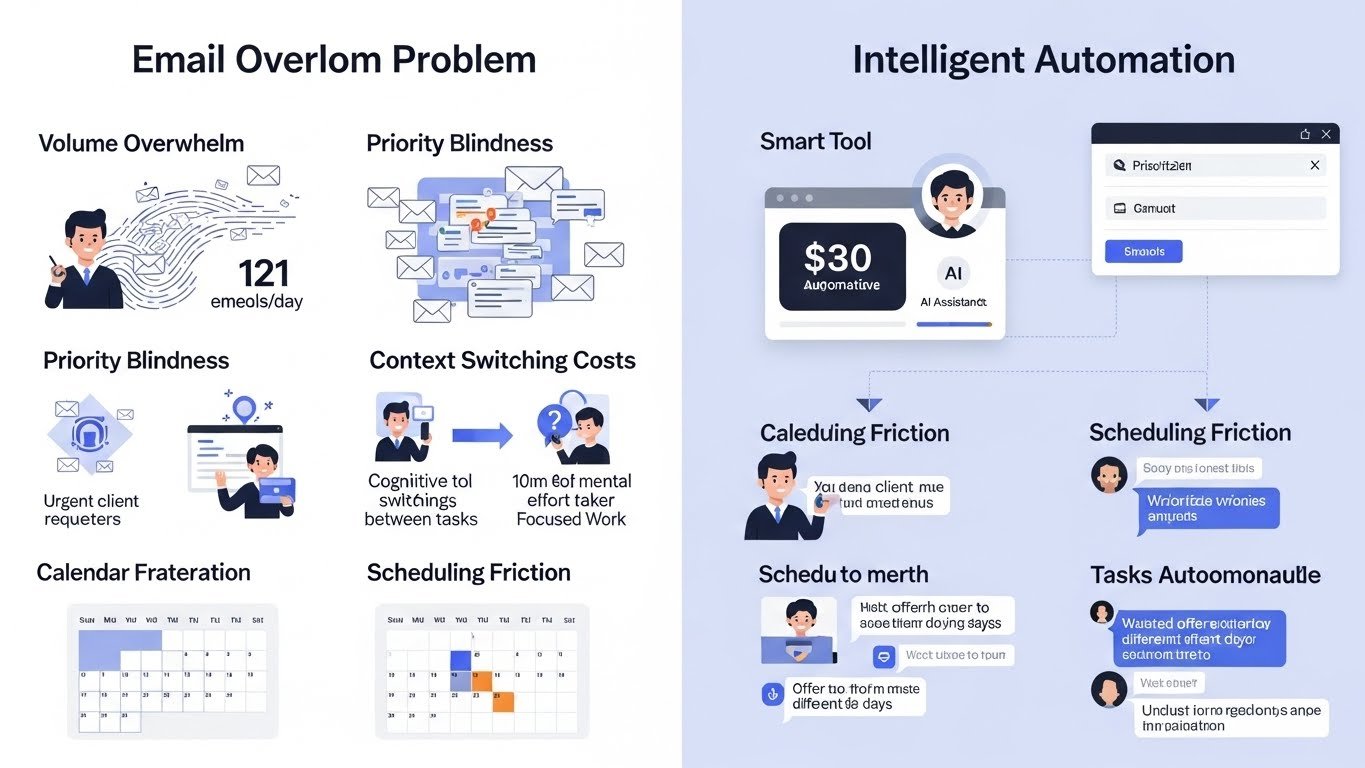
Volume overwhelm is the most obvious issue. Knowledge workers receive an average of 121 emails daily, according to research from the Radicati Group. That’s roughly one email every four minutes during a typical workday. Even if most require only seconds of attention, the cognitive load of constant triage is substantial.
Priority blindness compounds volume problems. When everything arrives in the same stream—urgent client requests alongside routine newsletters—your brain treats them similarly. The important message from a key stakeholder sits at the same visual level as a promotional email you’ll never read.
Context switching costs are perhaps the most damaging. Research from Gloria Mark at UC Irvine shows that checking email disrupts work for an average of 23 minutes—not because reading takes that long, but because returning to focused work after interruption takes time. Multiply that by dozens of daily email checks, and hours vanish.
Calendar fragmentation creates a different but related problem. Meetings scatter across days without logic, creating gaps too short for substantial work but too long to ignore. The average knowledge worker’s calendar looks like Swiss cheese—holes everywhere, usable blocks nowhere.
Scheduling friction wastes surprising amounts of time. The back-and-forth of “Does Tuesday work? No, how about Thursday? What times are you free?”—repeated dozens of times monthly—consumes hours that could go toward actual work.
Intelligent automation addresses these problems differently than traditional approaches. Rather than just providing organization systems you must maintain manually, smart tools learn patterns, anticipate needs, and handle routine tasks autonomously.
How Smart Email Management Actually Works
Modern email intelligence operates across several dimensions, each addressing different aspects of inbox chaos.
Intelligent Prioritization
The most immediately impactful capability is smart prioritization—automatically surfacing what matters while deprioritizing what doesn’t.
These systems learn from your behavior. Which emails do you open immediately? Which senders do you always respond to? Which messages do you archive without reading? Over time, patterns emerge that inform prioritization.
Google’s Priority Inbox pioneered this approach years ago, but current implementations are far more sophisticated. Microsoft’s Focused Inbox, Superhuman’s split inbox, and various third-party tools now analyze not just sender and subject but content, relationship history, and even urgency signals within message text.
I first experienced effective email prioritization through Superhuman about three years ago. The initial setup involved screening my inbox, identifying VIP contacts, and training the system on my priorities. Within a week, my “important” stream contained almost exclusively messages that genuinely mattered. The remainder—newsletters, notifications, low-priority CCs—went elsewhere.
The psychological impact surprised me. Checking email shifted from anxiety-inducing (what am I missing?) to focused (here’s what needs attention). The volume hadn’t changed, but the experience of managing it had transformed.
Smart Categorization
Beyond simple priority sorting, intelligent systems can categorize emails by type, project, urgency, or required action.
Some categorization is explicit—you create labels or folders and the system learns which messages belong where. Other categorization emerges automatically—the system identifies newsletters, receipts, travel confirmations, and similar message types without explicit training.
SaneBox has been particularly effective for automated categorization in my experience. It analyzes incoming email and sorts into trained folders: @SaneLater for non-urgent messages, @SaneNews for newsletters, @SaneBlackHole for senders you never want to hear from again. The sorting is imperfect initially but improves rapidly with corrections.
For project-based categorization, tools like Shortwave excel. Messages related to specific projects cluster together regardless of sender or thread, creating coherent views of project-related communication. This matters when a single project involves dozens of people across multiple threads—finding all relevant messages traditionally requires extensive searching.
Email Summarization
One of the most practically useful capabilities is summarization—condensing lengthy threads or verbose messages into digestible summaries.
When you return from vacation to hundreds of messages, reading each thoroughly is impossible. Summarization provides the gist: what was discussed, what was decided, what requires your input. You can go deeper where needed while quickly processing the rest.
Several email clients now offer this natively. Outlook’s summarization features within Copilot, Gmail’s summary capabilities, and Superhuman’s AI features all provide thread summaries that capture essential content.
I’ve found summarization most valuable for catching up on threads where I’ve been CC’d but not actively participating. A 47-message thread about a project I’m peripherally involved in might actually contain two pieces of information relevant to me. Summarization identifies those without requiring me to read all 47 messages.
Intelligent Drafting and Response
Composing email consumes more time than most people realize. Intelligent drafting helps by suggesting responses, completing sentences, and generating initial drafts.
This ranges from simple autocomplete—Gmail’s Smart Compose finishing sentences as you type—to full draft generation based on context and intent.
The quality varies significantly. For routine responses (confirming meetings, acknowledging receipt, providing standard information), automated drafting works remarkably well. For nuanced communication requiring careful word choice, it’s a starting point that needs substantial editing.
I use drafting assistance for perhaps 30% of my email, primarily routine responses where the goal is efficiency rather than eloquence. For important messages—difficult conversations, key stakeholder communication, sensitive topics—I still write from scratch. The time savings on routine messages frees time for careful attention where it matters.
Smart Scheduling from Email
Email often triggers scheduling needs. Someone requests a meeting; you need to find time and send an invite. Intelligent systems can handle this flow automatically.
Several tools now parse meeting requests from email and suggest available times, or even automatically propose times to correspondents. When someone writes “Can we find 30 minutes to discuss this?” the system can identify openings in your calendar and offer them without manual intervention.
Reclaim.ai integrates particularly well here, connecting email requests to calendar availability and suggesting scheduling options. Clara and Clockwise offer similar capabilities. The friction of translating email requests into calendar events—typically a manual, multistep process—reduces substantially.
Smart Calendar Management: Beyond Basic Scheduling
Calendar intelligence addresses different problems than email management, though the two intersect significantly.
Intelligent Scheduling Assistance
The most mature calendar intelligence application is scheduling assistance—finding times that work for multiple parties without endless back-and-forth.
Tools like Calendly, SavvyCal, and Cal.com have mainstreamed this approach. You share scheduling links; invitees select from your available times; meetings appear on calendars automatically. The simplicity is transformative for anyone who schedules frequently.
But newer systems go further. Rather than just showing availability, they optimize for meeting quality. Some times might be technically available but suboptimal—right after another intense meeting, during a period you’ve designated for focus work, or at times that fragment otherwise useful blocks.
SavvyCal introduced the concept of “ranked availability”—showing invitees your preferred times first, making it more likely they’ll select times that work best for you rather than just times that work at all. This subtle shift meaningfully improves how scheduled time actually feels.
Reclaim.ai approaches this differently by defending time for various purposes. You specify how much time you need for focus work, exercise, lunch, or personal commitments; the system protects that time from meetings while remaining flexible when conflicts arise. The calendar manages itself rather than requiring constant manual defense.
Automatic Time Blocking
Time blocking—scheduling specific activities into specific calendar slots—is a proven productivity practice. But maintaining time blocks manually requires discipline that busy schedules often overwhelm.
Intelligent systems can create and maintain time blocks automatically. You specify goals (four hours of focus work daily, exercise three times weekly, regular one-on-ones with team members), and the system schedules them around existing commitments, adjusting as calendars change.
Motion takes an aggressive approach, essentially building your entire schedule from task lists and commitments. You input what needs to be done and by when; Motion creates an optimized calendar. Some find this liberating. Others find it constraining. I personally found Motion too opaque—I didn’t always understand why it scheduled things when it did—but many people I know swear by it.
Clockwise focuses specifically on creating “Focus Time” blocks by intelligently rearranging flexible meetings. If a meeting can move, Clockwise might shift it to create longer uninterrupted periods. For teams, it can coordinate across multiple calendars to find optimization opportunities.
Meeting Preparation and Context
Intelligent calendar systems increasingly provide context for upcoming meetings—relevant documents, previous notes, attendee information, and suggested preparation.
This addresses a real problem: walking into meetings unprepared because preparation time wasn’t accounted for or relevant information wasn’t readily available.
Some CRM-integrated systems automatically pull contact history before customer meetings. Others connect to document repositories and surface relevant files. Calendar apps like Notion Calendar link meetings to related projects and documents.
I’ve found meeting prep automation most valuable for recurring meetings that require consistent preparation. Weekly team meetings, monthly reviews, quarterly planning—where the same types of information are needed each time—can be automatically assembled before the meeting rather than hastily gathered as it begins.
Post-Meeting Intelligence
What happens after meetings often matters as much as the meetings themselves. Intelligent systems help by generating summaries, extracting action items, and triggering follow-up workflows.
Meeting transcription services like Otter.ai, Fireflies, and Grain capture spoken content and generate searchable transcripts. More sophisticated analysis extracts decisions, action items, and key points.
The practical value: you can be fully present during meetings rather than frantically taking notes. Important content is captured regardless. Searchable transcripts mean you can find specific discussions later without relying on imperfect memory.
I use Otter.ai for most of my meetings now. The transcripts aren’t perfect—names get mangled, technical terms sometimes confuse the system—but they’re accurate enough to be useful. The action item extraction has improved substantially; it now catches most commitments made during meetings and can route them to task management systems.
Building an Integrated System
Individual tools solve individual problems, but the real transformation comes from integrated systems where email, calendar, and task management work together intelligently.
The Flow From Communication to Action
The ideal flow: an email arrives containing a request; the system recognizes the action required, suggests appropriate timing, and offers to schedule it or add it to your task list. You approve with a click; the work is queued appropriately.
This integration is increasingly possible. Superhuman’s task creation from email connects to various task managers. Notion’s connected workspaces link communication to projects and calendars. Microsoft’s ecosystem increasingly integrates Outlook, Teams, To-Do, and Planner into coherent workflows.
The setup requires effort—connecting services, configuring preferences, training on your patterns—but the payoff is substantial. The mental work of translating email into action and action into scheduled time happens automatically rather than requiring conscious effort for each item.
Unified Views Across Systems
Fragmented information across multiple systems creates its own overhead. Unified views that aggregate email, calendar, and tasks provide coherence that individual apps cannot.
Platforms like Notion, Coda, and Morgen attempt this integration, pulling information from various sources into unified interfaces. The quality of integration varies—some connections are seamless while others require manual updates—but the direction is toward more unified experiences.
I’ve settled on a combination of Superhuman for email, Reclaim.ai for calendar management, and Todoist for tasks, with connections between them. It’s not perfectly unified—I sometimes wish for a single system—but each component is strong enough that the minor friction between them is acceptable.
Workflow Automation
Beyond individual tools, workflow automation platforms like Zapier, Make (formerly Integromat), and Microsoft Power Automate can connect systems in custom ways.
Examples I’ve found useful:
- When I star an email in Gmail, the message content is added to a Todoist project for follow-up
- When I complete a task tagged as “client deliverable,” an email draft is created confirming delivery
- When a new meeting is added with certain attendees, relevant documents are linked in the calendar event
- When I mark an email as “scheduling needed,” available times are automatically sent to the correspondent
These automations require initial setup effort but then operate continuously. The small time savings on each instance compound into substantial impact over months.
Practical Implementation: What I’ve Learned
Having tested dozens of approaches over several years, patterns emerge about what makes implementation successful.
Start with Your Biggest Pain Point
Don’t implement everything at once. Identify your single biggest email or calendar problem and address it first. The cognitive load of learning multiple new systems simultaneously often leads to abandoning all of them.
For me, the biggest initial pain point was email volume—specifically, the time spent processing low-value messages. Starting with SaneBox to automate categorization addressed that pain directly. Only after that became habitual did I layer in additional capabilities.
Give Systems Time to Learn
Intelligent systems improve with use. Initial performance often disappoints; trained performance often impresses. Abandoning tools after a week because they’re not perfect misses the point.
I recommend committing to at least one month with new intelligent tools before evaluating. During that month, provide feedback actively—correct miscategorizations, mark priorities, train the system on your preferences. The payoff comes after training, not before.
Maintain Overrides and Exceptions
No system is perfect. Build in easy mechanisms for overriding automated decisions when they’re wrong.
SaneBox makes this simple—dragging an email to a different folder trains the system while fixing the immediate problem. Reclaim allows manually adjusting scheduled blocks without undermining overall automation. Systems that make overrides difficult create frustration when their judgments err.
Audit Periodically
Automated systems can develop blind spots. Periodically review what’s being filtered, scheduled, or processed automatically. Are important messages being miscategorized? Are scheduled blocks actually being used productively? Is automation serving you or have you adapted to serve it?
I do a monthly audit—reviewing what’s in my filtered folders, examining how scheduled time is actually being used, and adjusting configurations based on changed circumstances. This prevents automation drift, where systems gradually become less aligned with actual needs.
Accept Imperfection
Intelligent systems make mistakes. They miscategorize some emails. They suggest inappropriate scheduling. They miss nuance that humans would catch.
The question isn’t whether they’re perfect—they’re not—but whether they’re better than alternatives. Spending 30 seconds correcting an occasional miscategorization is worthwhile if the system correctly categorizes hundreds of other messages automatically.
Limitations and Honest Caveats
These systems have genuine limitations worth acknowledging before adoption.
Learning Curves and Setup Time
Intelligent email and calendar tools require investment to configure properly. Some require substantial initial training. Integration with existing workflows takes effort.
The tools that promise “instant” improvement with “no setup” are usually either lying or providing only superficial capabilities. Real effectiveness requires real investment.
I’d estimate 2-4 hours of initial setup for most comprehensive systems, plus ongoing attention during the training period. This investment pays off, but it is an investment.
Privacy and Data Access
Intelligent email systems need access to your email. Calendar systems need access to your calendar. This raises legitimate privacy concerns.
These tools read your messages—that’s how they work. For some people and some types of communication, this is unacceptable. Highly sensitive business communication, confidential personal matters, and privileged professional communications all require consideration before allowing automated access.
I draw lines about which accounts I connect to these systems. My primary professional email is connected; accounts that receive sensitive personal or professional communications are not. The convenience isn’t worth the exposure for every context.
Organizational Constraints
Many of these tools work best when you control your own technology choices. In organizations with IT-mandated systems, adoption options may be limited.
Microsoft 365 environments have access to Microsoft’s intelligence features but may block third-party tools. Highly regulated industries often restrict what systems can access communication data. Organizational email policies may limit what’s possible regardless of individual preference.
Before investing in learning a new system, verify that your organizational context actually permits its use.
Over-Automation Risks
Automation can go too far. Automatically drafting responses without review risks sending inappropriate messages. Automatically scheduling meetings without context risks accepting commitments that shouldn’t be accepted. Automatically filing emails risks missing important messages buried in filters.
The goal is intelligent assistance, not full abdication of responsibility. Maintaining appropriate oversight while reducing routine burden is the balance to strike.
I’ve made mistakes here. An automated response that was technically correct but tonally wrong damaged a professional relationship. An automatic scheduling acceptance created a commitment I couldn’t fulfill. Learning where human judgment remains essential came through occasionally painful experience.
Changing Needs Over Time
What works in one phase of work life may not work in another. New roles, changed responsibilities, and evolved priorities can make previously useful systems counterproductive.
Periodically reevaluating whether current automation still serves current needs prevents outdated systems from creating friction. The tool that was perfect for your previous role might be wrong for your current one.
Tool Recommendations by Use Case
Based on extensive testing, here’s where I’d point people based on specific needs:
For Email Overwhelm Generally
Superhuman remains the most comprehensive solution if budget permits—fast, well-designed, with increasingly sophisticated intelligence features. The cost ($30/month) is significant but often justified for people whose email volume is genuinely overwhelming.
SaneBox works with any email provider and excels at automated categorization. It’s less comprehensive than Superhuman but more affordable and applicable to more email configurations.
Gmail’s built-in intelligence has improved substantially and costs nothing additional. Priority Inbox, categorization tabs, and Smart features handle many needs for people comfortable within Google’s ecosystem.
For Scheduling Pain
Reclaim.ai is my top recommendation for calendar management—particularly strong at protecting focus time while remaining flexible for meetings. The free tier is genuinely useful; paid tiers add team features and more sophisticated scheduling.
Calendly remains the standard for external scheduling—sharing availability with people outside your organization. The simplicity is a feature.
Clockwise excels specifically for teams trying to create focus time across organizational calendars. If calendar fragmentation is a team problem, not just an individual one, Clockwise addresses it directly.
For Integrated Workflows
Notion combines documents, databases, and increasingly robust calendar features into a unified workspace. The learning curve is substantial but the integration payoff is significant for teams that fully adopt it.
Microsoft 365 with Copilot provides comprehensive integration for organizations already in Microsoft’s ecosystem. The intelligence layer across Outlook, Teams, and other tools is improving rapidly.
For Meeting Management
Otter.ai provides the best combination of transcription quality and actionable features I’ve found. The automated notes and action items genuinely work.
Grain excels for specific types of meetings—particularly customer conversations where you need to capture and share key moments.
The Bigger Picture
I’ve spent years optimizing email and calendar management, and here’s what I’ve come to believe: the goal isn’t a perfectly organized inbox or an optimally scheduled calendar. The goal is reclaimed attention and reduced friction in getting important things done.
Email and calendar chaos are symptoms of a deeper problem—more demands than time to meet them, more communication than capacity to process it. Intelligent automation addresses the symptoms effectively, but it doesn’t solve the underlying condition.
The value of these tools isn’t just time saved on email processing or calendar management. It’s the cognitive relief of knowing important things won’t fall through cracks, that low-priority items won’t demand high-priority attention, that your time is allocated according to your actual priorities rather than whatever arrived most recently.
When intelligent automation works well, email becomes a manageable task rather than a perpetual anxiety. Calendars reflect intentional choices rather than accumulated accidents. The constant background hum of digital chaos quiets enough to hear what actually matters.
That transformation isn’t magical or instantaneous. It requires finding tools that match your specific needs, investing time in proper configuration, and maintaining appropriate human oversight of automated systems. But for people drowning in digital communication—and that’s most knowledge workers today—intelligent automation offers a lifeline that actually works.
The 847 emails that triggered my original search for better systems? I processed them in about 90 minutes once I had proper tools in place. Not because I read them all faster, but because intelligent sorting meant I didn’t have to read most of them at all. The dozens that actually mattered got attention. The hundreds that didn’t got appropriately ignored.
That’s the real promise of intelligent email and calendar organization—not processing everything faster, but processing only what matters while everything else gets handled appropriately without demanding your finite attention.